
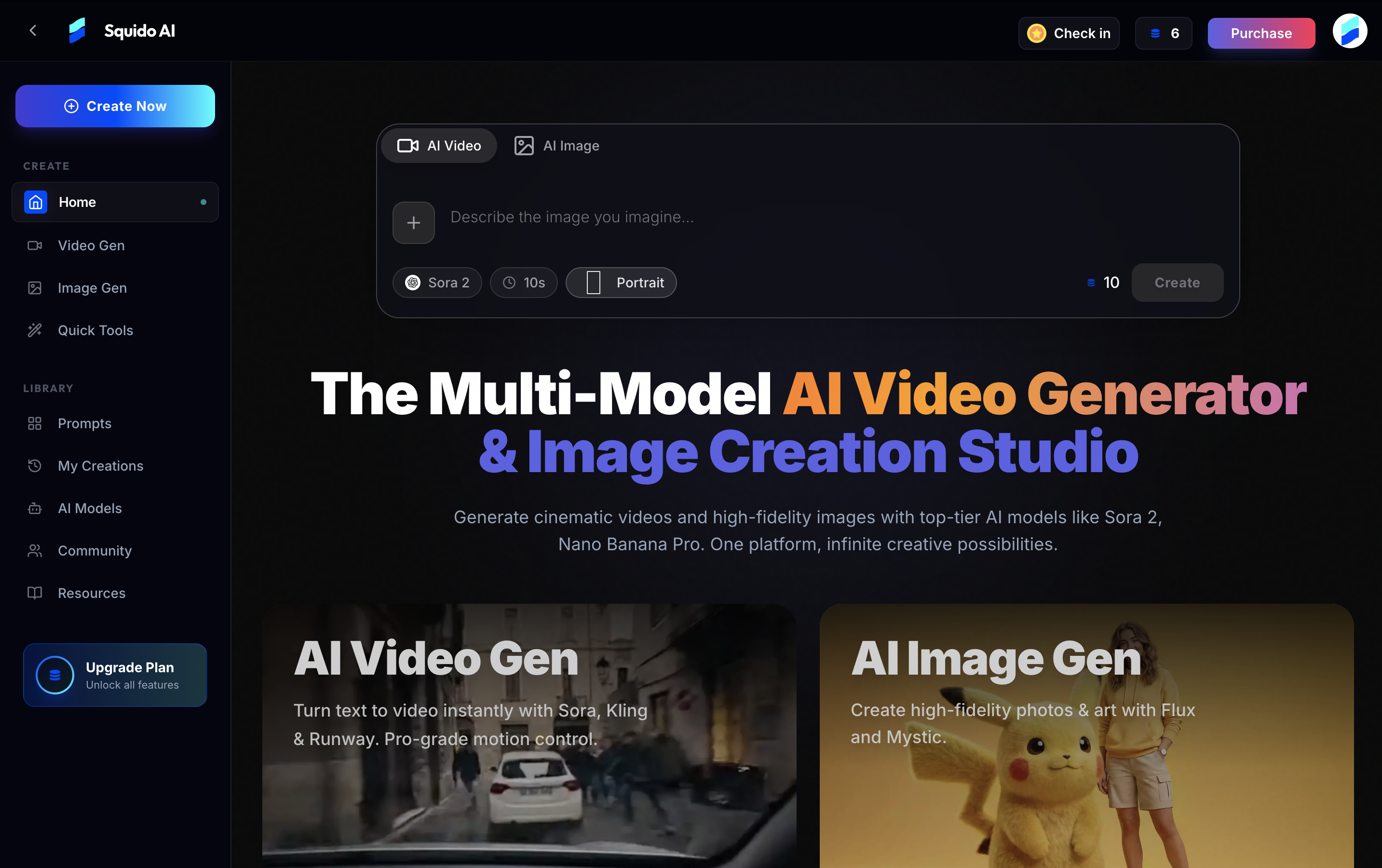
Key Features:
Multi-model integration for video (Seedance 2.0 for dynamic motion, Kling 2.6 for natural simulations, Veo 3.1 for 4K storytelling, Sora 2 for photorealism) and images (Flux 2 for textures, Mystic for art, Nano Banana Pro for typography, GPT-4o for complex prompts). Instant generation in ~60 seconds with parallel rendering across models, no waitlists, and seamless switching in one tab. Chat-based interface for simple creation: describe visions naturally, with auto-parameter handling; mobile-optimized for any device. Advanced controls including aspect ratios (16:9, 9:16), durations, resolutions up to 4K, camera movements, and start/end frames. Quick tools: AI Headshot for professional selfies, Background Remover for precise edits, Image Enhancer for upscaling low-res photos. Creative prompts and community gallery for inspiration, featuring trending styles and user-generated content. Insights and benchmarks comparing models (e.g., Sora 2 vs Veo 3.1 on physics, Nano Banana vs Flux on adherence). Supports image-to-video animation and content moderation for safe outputs.
How It Works:
Input Prompt: Enter a text description of your vision (e.g., “Cyberpunk city in rain with cinematic lighting”) via chat or direct input; optionally upload photos for animation. Configure Settings: Adjust parameters like aspect ratio, duration, resolution, camera controls, and select models. Generate and Output: Render clips or images in seconds; review, download, or share instantly; iterate with refinements.
Supported Formats or Inputs:
Inputs: Text prompts, voice (implied via chat), reference photos for remixing or animation. Outputs: Videos in cinematic formats (up to 4K), images in high-fidelity resolutions; compatible with standard media formats for download (e.g., MP4 for video, PNG/JPEG for images). Recommendations: Use descriptive prompts for complex scenes; select models based on needs (e.g., Veo for 4K); supports short clips with extensions via video-to-video.
Usage Instructions:
Describe your idea in the chat interface or generator field. Customize parameters for precision, or let AI handle defaults. Generate content; use parallel mode for multiple models simultaneously. Download watermarked outputs (free) or watermark-free for paid users. Best Practices: Start with simple prompts and refine; explore gallery for ideas; use quick tools for everyday edits; avoid NSFW prompts as they are filtered; optimize for mobile by keeping prompts concise.
Privacy Details:
All data is encrypted, with generated assets and prompts kept proprietary and not shared. Privacy-first design ensures no data leaks; content moderation filters sensitive material. Described as the most secure AI video generator, with user data protected during cloud processing.
Limitations:
Free tier includes daily credits with watermarks and personal use only; commercial rights require subscription. Clip durations are typically short; extensions depend on model capabilities. Outputs vary by model (e.g., not all support 4K); reliant on cloud, so internet connection needed. NSFW or sensitive prompts are automatically filtered; community content is moderated but user-generated. No explicit pricing for paid plans listed, but upgrades remove restrictions for monetization.