
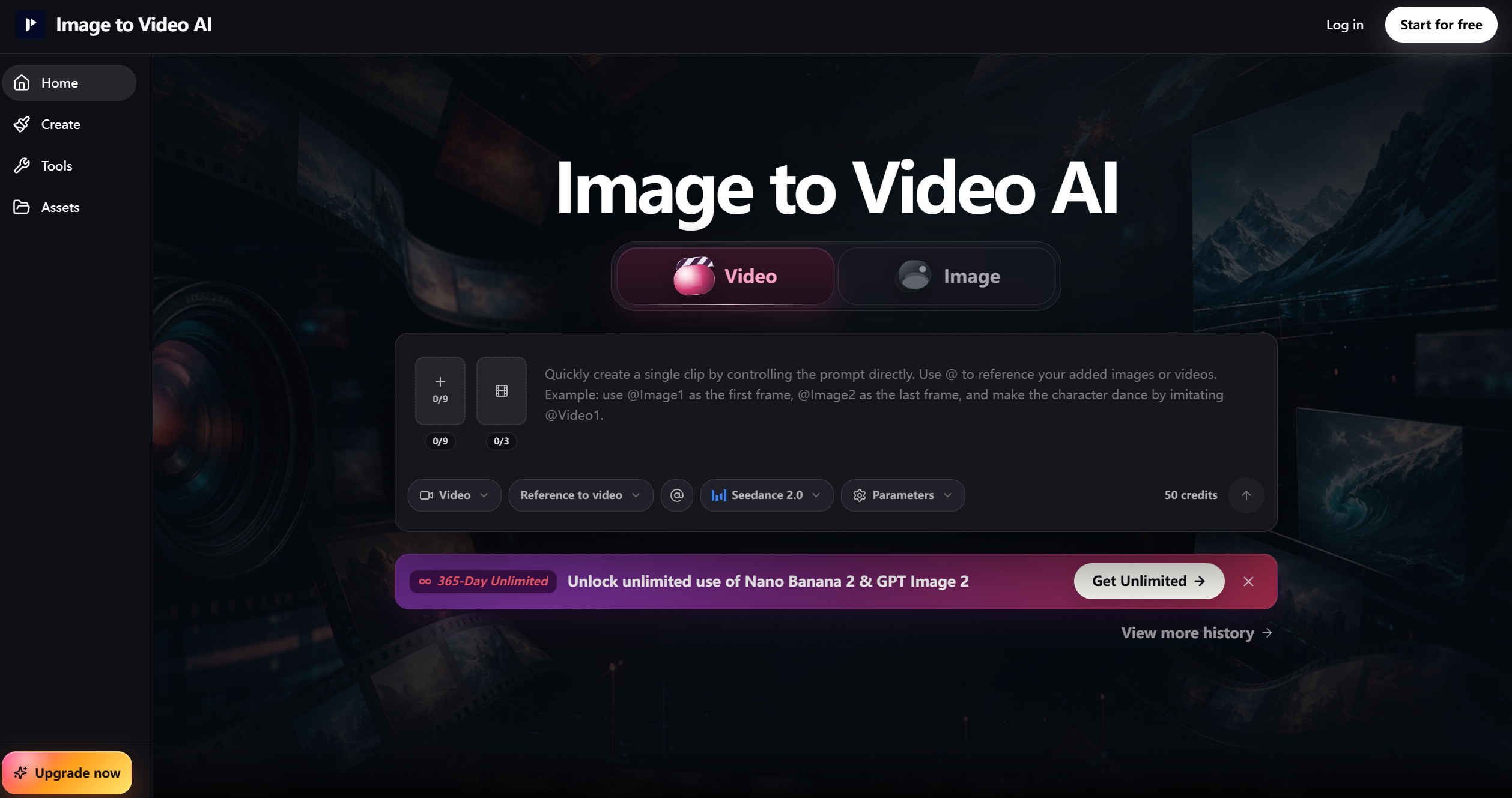
What is Image-to-Video AI?
Image-to-Video AI is an AI-powered platform designed to transform static images into dynamic, high-quality video content. Its primary purpose is to help users bring photographs, illustrations, or graphics to life by generating animated sequences, slideshows, or cinematic visuals automatically. This tool caters to content creators, marketers, educators, and anyone looking to create compelling video content quickly without requiring advanced video editing skills.
By leveraging artificial intelligence, Image-to-Video AI analyzes input images, applies motion effects, transitions, and even optional audio to generate a cohesive video output. The platform simplifies a process that normally requires complex software and technical expertise, enabling users to turn ideas into visually engaging videos in minutes.
Image-to-Video AI’s Core Function
- Image Animation
- Convert static images into animated sequences using AI-driven motion effects.
- Slide Show Creation
- Automatically generate professional slideshows from multiple images with smooth transitions.
- Video Enhancement
- Optimize visual quality with AI-based stabilization, lighting correction, and color adjustments.
- Music and Audio Integration
- Add background music, narration, or sound effects to create immersive videos.
- Text and Caption Overlay
- Include titles, captions, or annotations directly on video frames.
- Customizable Transitions
- Apply fade-ins, zooms, pans, and other cinematic transitions between images.
- Aspect Ratio and Format Flexibility
- Export videos in various resolutions and formats optimized for social media, web, or presentations.
- Batch Processing
- Convert multiple image sets into videos simultaneously to save time.
- AI-Powered Storyboarding
- Automatically organize images into sequences for a coherent narrative flow.
- Preview and Adjust
- Review video drafts and tweak motion, timing, or transitions before exporting.
How to Use Image-to-Video AI
Step 1: Sign Up or Log In
Create an account to access full functionality and save projects for future editing.
Step 2: Upload Images
Select the images you want to animate or convert into a video sequence.
Step 3: Choose Video Style
Decide on animation styles, transitions, motion effects, or slideshow templates.
Step 4: Add Audio (Optional)
Include background music, narration, or sound effects to enhance the video experience.
Step 5: Customize Text or Captions
Insert titles, captions, or notes if needed to convey information effectively.
Step 6: Preview Video
Use the AI-generated preview to check motion effects, timing, and overall flow.
Step 7: Adjust Settings
Fine-tune animation speed, transitions, and visual effects for the best results.
Step 8: Export Video
Render the final video in your preferred resolution, format, and aspect ratio.
Step 9: Share or Publish
Download or share the video across social media, websites, presentations, or campaigns.
Image-to-Video AI’s Use Case
Social Media Marketing
Transform product images, promotional photos, or brand graphics into engaging video content.
Educational Content
Create animated tutorials, slideshows, or visual lessons for classrooms and online courses.
Personal Projects
Convert family photos, vacation snapshots, or personal artwork into dynamic memory videos.
E-Commerce
Showcase products with animated visuals, zooms, and transitions for online stores.
Presentations and Pitches
Enhance business presentations with animated slideshows and informative visuals.
Content Creation for YouTube & TikTok
Quickly produce eye-catching video content for online platforms without advanced video editing tools.
Portfolio Enhancement
Design visually engaging portfolios with dynamic presentations of artwork, photography, or designs.
Storytelling
Use images to create mini-stories, animated narratives, or cinematic sequences.
Event Highlights
Compile images from events, weddings, or conferences into memorable video recaps.
Marketing Campaigns
Generate quick promotional videos that combine images, text, and music for campaigns.
The Benefit of Image-to-Video AI
- Bring Photos to Life
- Turn static images into dynamic, engaging visuals with minimal effort.
- Time-Saving Automation
- Automates complex video creation processes, reducing hours of editing to minutes.
- Professional-Quality Output
- AI ensures smooth transitions, motion effects, and polished video quality.
- Creative Flexibility
- Customize animations, music, text, and styles to match your vision.
- Multi-Platform Ready
- Export videos optimized for social media, presentations, or professional use.
- Batch Processing Efficiency
- Convert multiple sets of images into videos simultaneously for larger projects.
- Intuitive Interface
- Designed for beginners and professionals alike; no prior video editing experience needed.
- Enhanced Storytelling
- Combine images, motion, and audio to create compelling narratives.
- High Replay Value
- Experiment with different styles, transitions, and music to produce unique video variations.
- Supports Collaboration
- Share drafts and final videos with clients, teams, or friends for feedback.
- Versatile Applications
- Ideal for marketing, education, entertainment, personal projects, and professional presentations.
- Increases Engagement
- Animated visuals attract attention and increase viewer retention compared to static images.